Insurance business, made smarter, from one connected suite
Ribaso is an insurance technology company, a B2B SaaS business building software for distribution-led businesses, starting with insurance. It has four products: Ribaso Insurance, its flagship platform for agents, brokers, and insurance professionals, plus R Connect for branded customer meetings, R-Team for team communication and tasks, and Webmail for business email. Insurance is the primary focus. I designed all four products, which Ribaso calls its suite, leading the 0→1 product design across web, desktop, iOS, and Android and defining the core journeys, the information architecture, and the interaction patterns the rest of the suite now builds on.
View LiveAgents switched between portals just to run one request for quote.
One request to every insurer, with automatic follow-ups.
One workflow across web, desktop and mobile.
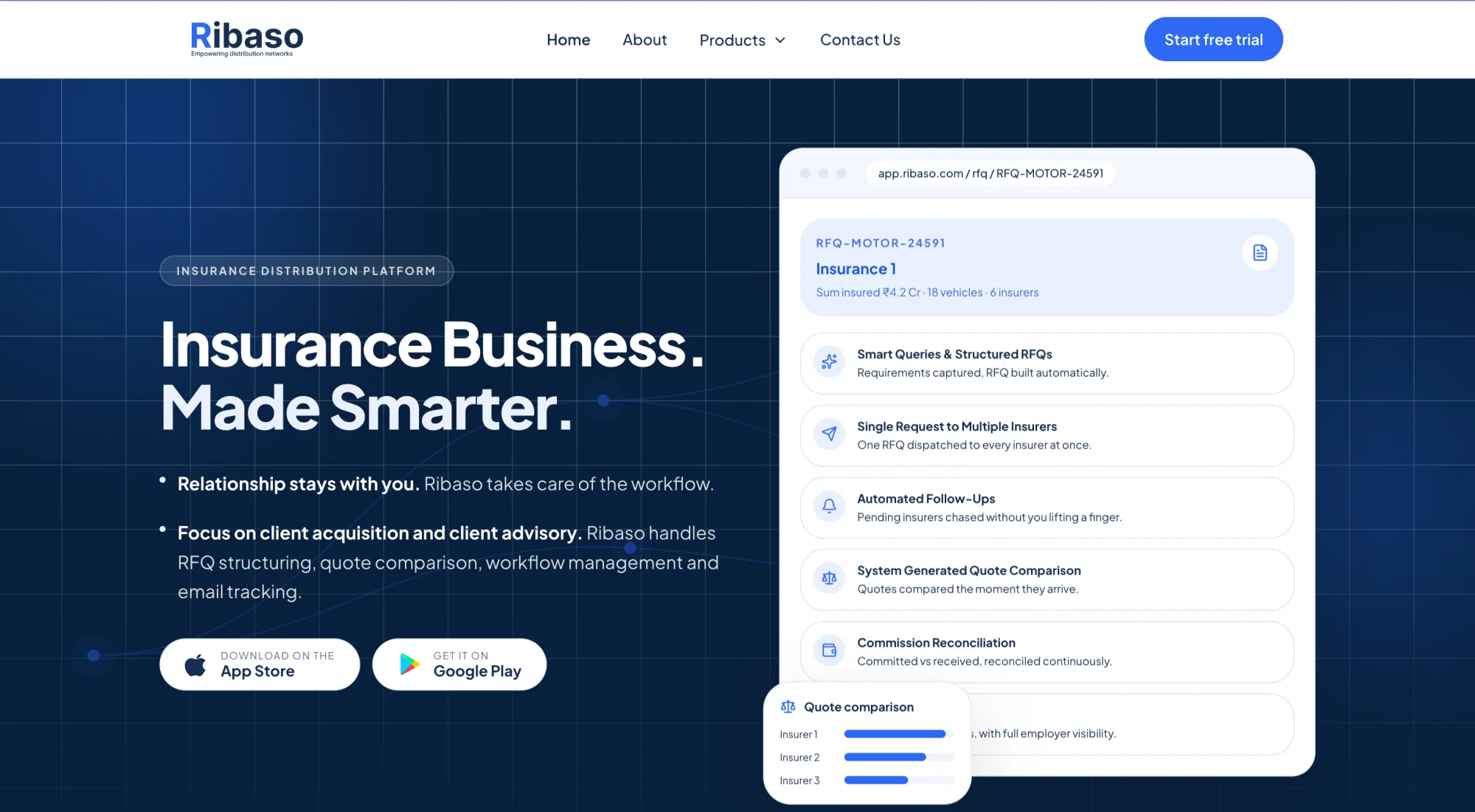
Agents owned the client. The workflow around it was broken.
Requests, replies, quotes and commission, spread across disconnected tools.
CompanyB2B SaaS, not an insurer, aggregator or intermediaryModelpaid for the software, not commissionsAgentkeeps the client relationshipBuilt from discovery interviews with working agents and brokers, and from ribaso.com. Illustrated.
One company, four products, one shared layer
The structure keeps the agent’s work in one place.
BeforeFive steps, each in its own tool: request, outreach, follow-up, comparison, commission.
Ribaso Insurance
The flagship, for agents and brokers
- Inquiries and RFQs
- Guided smart queries
- Structured RFQ, built automatically
- One request to many insurers
- Insurers and quotes
- Replies by email, no insurer portal
- Quotes land on the same RFQ
- Side-by-side comparison
- Automated follow-ups
- Clients and policies
- Client management
- Renewal reminders
- Policy stored
- Commission
- Committed vs received
- Mismatches visible
- Team
- An inbox per user
- Performance monitoring
- Email linked to client and inquiry
The R Suite
Three standalone products
- R Connect
- Branded join page and room
- Waiting room and host controls
- Consent-based recording
- Calendar write-back
- R-Team
- Chat and work groups
- Hierarchy tasks
- One team action feed
- Webmail
- A mailbox for every seat
- Your own domain
- Admin console
- Calendar and tasks
Shared layer
What all four plug into
- One directory
- Seats, managers, teams
- One calendar
- Meetings and tasks
- One file
- Notes, recording, mail and tasks land on the RFQ
- Roles
- Owner
- Manager
- Team member
- Guest, no account
Built from ribaso.com. Each column is a product group, each box a module, each line a capability.
Who can do what, on one tree
Permissions follow the organisation tree, so nobody sees or assigns beyond their line. Guests only ever meet R Connect, never R-Team.
Three flows that carry the suite
Each flow removes a manual step at every stage.
Inquiry to commission
The core Ribaso Insurance flow, in seven steps- InquiryCapture the requirementNothing missedGuided smart queries, not free-text emails
- RFQBuilt automaticallyNot retypedStructured once
- SendOne request, every insurerOne sendInsurers keep replying by email
- QuotesReplies land on the same RFQNo insurer portalInsurers need no new account
- CompareLined up side by sideOn arrivalNot built by hand in a sheet
- PolicySelected policy is storedClear rolesRibaso runs the workflow, insurers issue the policy
- CommissionCommitted vs receivedMismatches visibleReconciled, not just tracked
A client meeting in R Connect
Meeting a client in a room that looks like your company- InviteSend a branded linkAny channelWhatsApp, SMS, email or a copied link
- JoinOpen the branded pageNo account, no downloadAny browser, no other brand in front
- AdmitHost lets the guest inTeam huddles firstWaiting room on every room
- MeetHost controls, share, co-fill the RFQStays in the roomThe RFQ sits inside the meeting
- RecordOn-screen consent firstNever silentExplicit consent before recording
- KeepStored against the meetingThe firm owns itNot a personal account
One motion across the suite
From a new seat to a signed policy, without leaving Ribaso- MailA seat gets a login and mailbox
- TeamThey appear in R-TeamOne structureDMs, RFQ groups and tasks, no second tree
- WorkA group opens around the inquiryWork stays togetherFiles land on the RFQ, status visible upward
- ConnectHost a room from the same groupOne clickThe client joins the branded link
- FileEverything lands on the RFQThe firm owns the trailNotes, recording, mail and tasks
Steps follow ribaso.com and the product design. The notes explain what each choice does for the user.
Four decisions that did the work
Each decision removed a specific manual step or a reason not to adopt.
One RFQ, every insurer
Agents re-keyed the same request for each insurer, in different formats.
The system chases, not the agent
Tracking who has not replied was the real cost, not the RFQ itself.
Compare as quotes arrive
Quotes came back in different formats and were compiled by hand at the end.
Do not ask insurers to change
The workflow only works if insurers can keep working the way they do.
The same jobs, done by the platform
Fewer places to lose time, and the client stays with the agent.
insurance first
to commission
web, iOS, Android and desktop
Taking the coordination away while leaving the client relationship with the agent. Speed was welcome. Mediation was not.
What I can and cannot claim. As an active, still-growing 0→1 suite, I don't have an audited long-term metrics baseline to cite. What I can point to is structural: less context switching for agents, one workflow in place of several, and interaction patterns now reused on every platform the suite ships on. Not measured percentage lifts.
What I would do next
This was the 0→1 foundation, not a finished endpoint.
Knowing which step agents abandon first would sharpen every iteration.
Learn how often an automatic nudge helps and when it annoys.
Bring more work onto one directory, calendar and file.
Component patterns, live on ribaso.com
Dense, dark and calm under load. Hover to try them.